Basic enumerations belonging to Core layer. More...
#include <CoreConstants.h>
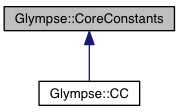
Static Public Attributes | |
Primitive Types | |
Enumeration of all types supported by IPrimitive object. | |
| static const int32 | PRIMITIVE_TYPE_ARRAY = 0x00000001 |
| static const int32 | PRIMITIVE_TYPE_OBJECT = 0x00000002 |
| static const int32 | PRIMITIVE_TYPE_DOUBLE = 0x00000004 |
| static const int32 | PRIMITIVE_TYPE_LONG = 0x00000008 |
| static const int32 | PRIMITIVE_TYPE_BOOLEAN = 0x00000010 |
| static const int32 | PRIMITIVE_TYPE_STRING = 0x00000020 |
| static const int32 | PRIMITIVE_TYPE_NULL = 0x00000040 |
Location Provider States | |
Location provider changes its internal state between one of these values. | |
| static const int32 | LOCATION_STATE_NOT_DETERMINED = 1 |
| static const int32 | LOCATION_STATE_DENIED = 2 |
| static const int32 | LOCATION_STATE_ACQUIRED = 3 |
| static const int32 | LOCATION_STATE_ERROR = 4 |
Log Levels | |
Log level specifies the level of details of log messages. Log levels are ordered from the most informative INFO to the least informative CRITICAL. Log levels are applied through IGlympse::overrideLoggingLevels(). | |
| static const int32 | INFO = 1 |
| static const int32 | DUMP = 2 |
| static const int32 | NOTICE = 3 |
| static const int32 | WARNING = 4 |
| static const int32 | ERROR = 5 |
| static const int32 | CRITICAL = 6 |
| static const int32 | NONE = 7 |
Location Profiles | |
The list of all supported location profiles on the system. | |
| static const int32 | LOCATION_PROFILE_NOT_SET = -1 |
| Indentifies the case, when profile is not set. | |
| static const int32 | LOCATION_PROFILE_NO_ACTIVE_BACKGROUND = 0 |
| Application is running in the background without active outgoing tickets. | |
| static const int32 | LOCATION_PROFILE_NO_ACTIVE_FOREGROUND = 1 |
| Application is running in the foreground without active outgoing tickets. | |
| static const int32 | LOCATION_PROFILE_ACTIVE_NOT_WATCHED = 2 |
| Application is running with active outgoing tickets, but nobody is watching. | |
| static const int32 | LOCATION_PROFILE_ACTIVE_IS_WATCHED = 3 |
| Application is running with active outgoing tickets and somebody is watching. | |
| static const int32 | LOCATION_PROFILES_COUNT = 4 |
| Total amount of profiles. | |
Location Sources | |
The list of supported location sources. | |
| static const int32 | LOCATION_SOURCE_NETWORK = 0x00000001 |
| static const int32 | LOCATION_SOURCE_GPS = 0x00000002 |
| static const int32 | LOCATION_SOURCE_PASSIVE = 0x00000004 |
| static const int32 | LOCATION_SOURCE_ALL |
Location Modes | |
The list of modes supported by location manager (and applied to location providers). | |
| static const int32 | LOCATION_MODE_ENABLED = 0 |
| Enables location provider. | |
| static const int32 | LOCATION_MODE_DISABLED = 1 |
| Disables location provider. | |
Location Priority | |
Priority identifies how aggressive application wants to be in receiving location updates. | |
| static const int32 | LOCATION_PRIORITY_HIGH_ACCURACY = 100 |
| static const int32 | LOCATION_PRIORITY_BALANCED_POWER_ACCURACY = 102 |
| static const int32 | LOCATION_PRIORITY_NO_POWER = 105 |
Geofence Transitions | |
Defines the direction of geofence transition. | |
| static const int32 | GEOFENCE_TRANSITION_ENTER = 0x1 |
| static const int32 | GEOFENCE_TRANSITION_EXIT = 0x2 |
ETA Transitions | |
Defines the direction of eta transition. | |
| static const int32 | ETA_TRANSITION_DROPS_BELOW = 0x1 |
| static const int32 | ETA_TRANSITION_RISES_ABOVE = 0x2 |
Push States | |
Represents the status of push notification availability. | |
| static const int32 | PUSH_AVAILABILITY_UNKNOWN = 1 |
| static const int32 | PUSH_AVAILABILITY_UNAVAILABLE = 2 |
| static const int32 | PUSH_AVAILABILITY_AVAILABLE = 3 |
| static const int32 | PUSH_AVAILABILITY_DENIED = 4 |
Drawable Scale Types | |
Scale type defines the way image gets shrunk when resized. | |
| static const int32 | DRAWABLE_SCALE_EXACT = 0 |
| SCALE_EXACT means to scale the image to exactly the specified size. More... | |
| static const int32 | DRAWABLE_SCALE_FIT_OR_SMALLER = 1 |
| SCALE_FIT_OR_SMALLER is similar to SCALE_FIT, except that if the image is already smaller than the width and height passed in, then we don't do any scaling at all. | |
| static const int32 | DRAWABLE_SCALE_FIT = 2 |
| SCALE_FIT means to scale the image up or down so that the image perfectly fits within the width/height while keeping the aspect ratio. More... | |
| static const int32 | DRAWABLE_SCALE_FILL_OR_SMALLER = 3 |
| SCALE_FILL_OR_SMALLER is similar to SCALE_FILL, except that if the image is already smaller than the width or height passed in, then we don't do any scaling at all. | |
| static const int32 | DRAWABLE_SCALE_FILL = 4 |
| SCALE_FILL means to scale the image up or down so that the image completely fills the entire width/height while keeping the aspect ratio. More... | |
Drawable Compression Types | |
Compression type defines the format used for image compression. | |
| static const int32 | DRAWABLE_COMPRESS_JPG = 0 |
| JPEG compression method is used. | |
| static const int32 | DRAWABLE_COMPRESS_PNG = 1 |
| PNG compression method is used. | |
Device Activities | |
The detected activity of the device. | |
| static const int32 | ACTIVITY_UNKNOWN = 0 |
| Device activity cannot be recognized. | |
| static const int32 | ACTIVITY_IN_VEHICLE = 1 |
| The device is in a vehicle, such as a car. | |
| static const int32 | ACTIVITY_ON_BICYCLE = 2 |
| The device is on a bicycle. | |
| static const int32 | ACTIVITY_ON_FOOT = 3 |
| The device is on a user who is walking or running. | |
| static const int32 | ACTIVITY_STILL = 4 |
| The device is still (not moving). | |
| static const int32 | ACTIVITY_TILTING = 5 |
| The device angle relative to gravity changed significantly. | |
Http Methods | |
Valid HTTP methods that can be used. | |
| static const int32 | HTTP_METHOD_DEFAULT = 0 |
| Use whatever default method is preferred. | |
| static const int32 | HTTP_METHOD_GET = 1 |
| Use HTTP GET method. | |
| static const int32 | HTTP_METHOD_POST = 2 |
| Use HTTP POST method. | |
| static const int32 | HTTP_METHOD_PUT = 3 |
| Use HTTP PUT method. | |
| static const int32 | HTTP_METHOD_DELETE = 4 |
| Use HTTP DELETE method. | |
Basic enumerations belonging to Core layer.
|
static |
SCALE_EXACT means to scale the image to exactly the specified size.
If the user passed in SCALE_EXACT, or the image size is already exactly what the caller is asking for, then do nothing.
|
static |
SCALE_FILL means to scale the image up or down so that the image completely fills the entire width/height while keeping the aspect ratio.
Either the new width will exactly match the width passed in and the the new height will be >= the height passed in, or vice versa.
|
static |
SCALE_FIT means to scale the image up or down so that the image perfectly fits within the width/height while keeping the aspect ratio.
Either the new width will exactly match the width passed in and the the new height will be <= the height passed in, or vice versa.
|
static |
 1.8.4
1.8.4

